




Orange Button Manufacturer

Grow your market share with automated BIM design.

You don't just sell products, you sell the technology behind them. Orange Button puts your tested penetration seals and passive fire protection systems into the software where buildings are designed.

end-users
100+
projects
1,000+
countries
8

Manufacturer

OB ManufacturerYour tested systems, Field of Application and BIM objects in one place.
OB EnterpriseThe complete platform as a white label, under your own brand.

Your tested systems

Automated design in BIMThe right tested system, placed in the model automatically.

Data insights

End-users

OB BIMFinds every penetration and designs it.
OB OfficeProjects, quantities and advice.
OB FieldRegisters every seal, as tested.

Manufacturers already on the platform

  • Soudal
  • Promat
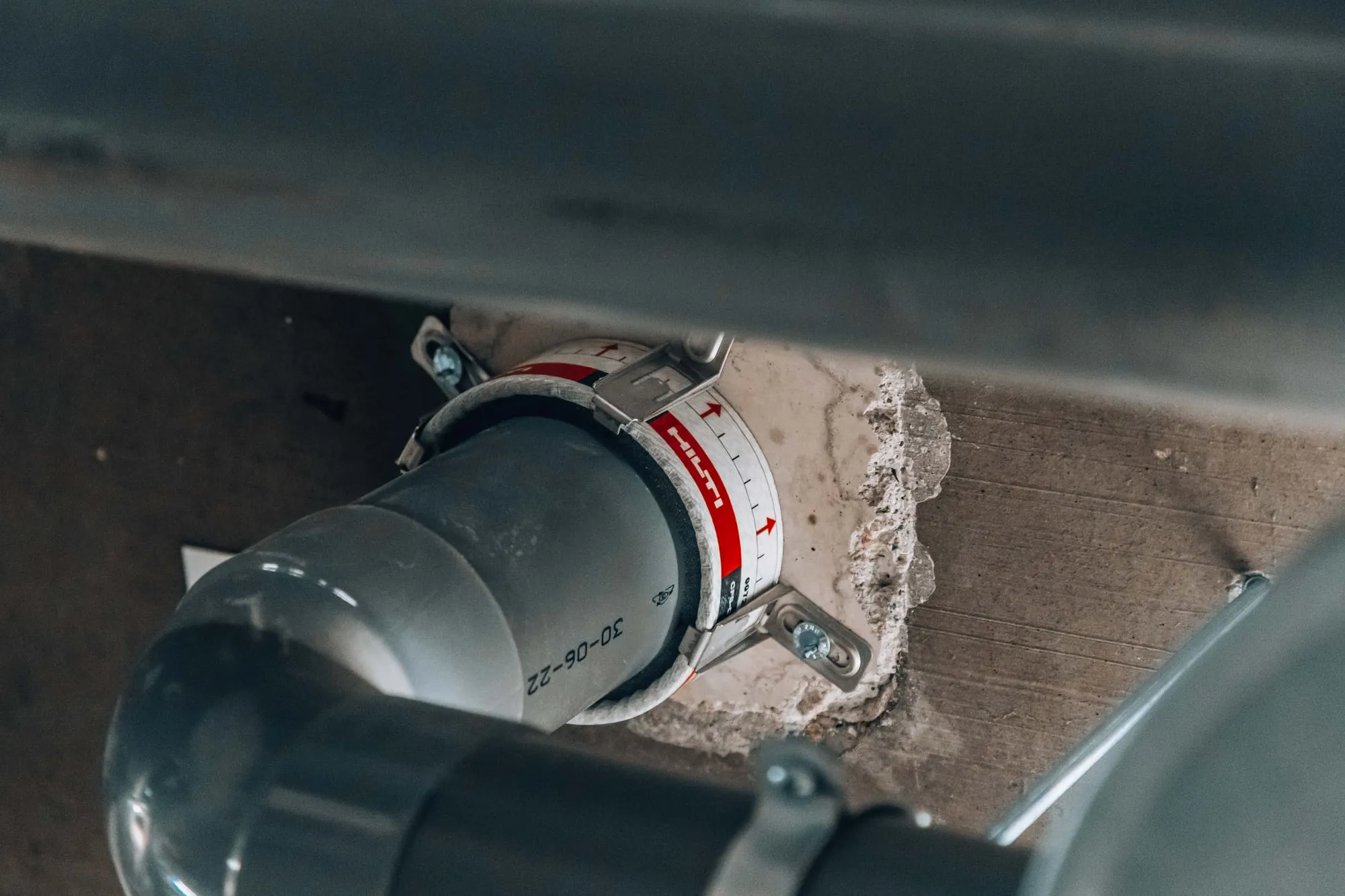
  • AF Systems
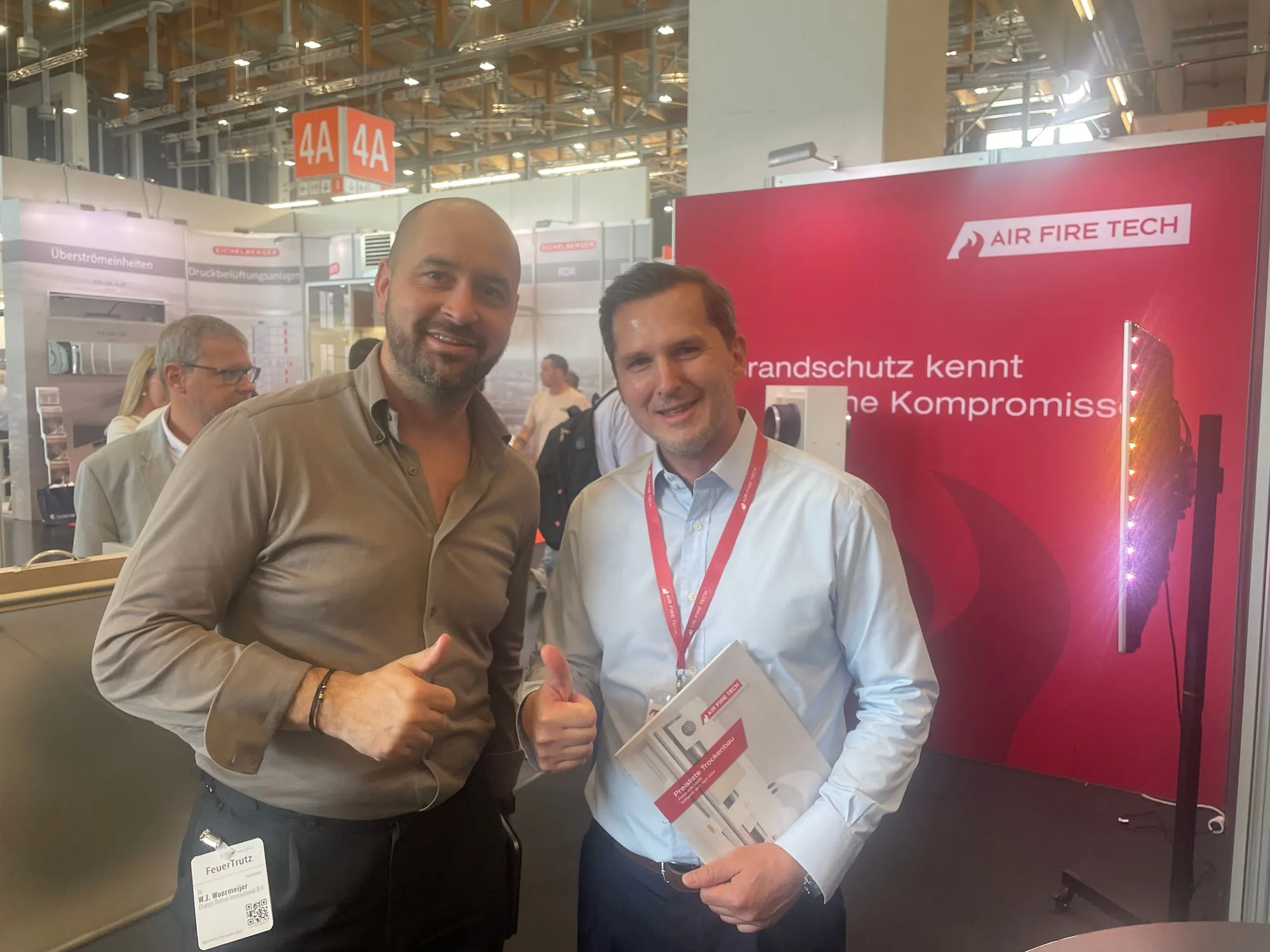
  • Air Fire Tech

Used in the UK, Ireland, the Netherlands, Belgium, Luxembourg, Italy, Switzerland and Austria.

The challenge

Your systems are chosen late, by hand, or not at all.

  • Late

    Firestop is often chosen on site, not in the design.

  • By hand

    Your advice department answers every project and every penetration manually.

  • Grey area

    Untested situations need engineering judgements, with risk for everyone.

Questions worth answering

  1. You want your products installed exactly as tested. Who makes sure that happens today?
  2. How many engineering judgements does your advice department write per year?
  3. How many FTE does it take to answer project questions by hand?
  4. How often is a complaint or claim traced back to incorrect installation?
  5. When a system fails on site, who gets the blame: the installer, or your product?
  6. In how many BIM projects is your system designed in today? Do you know?

Where firestop is decided

Firestop is decided in the production model.

Designers set the requirement. How it is built is decided later, in production. Without your tested system in that layer, nobody can prove the seal is installed as tested.

Orange Button puts your tested system in the production model automatically.

  1. QuestionThe client's briefWhat does the building need to do?
  2. Performance modelsArchitect · structural · MEPSet the requirement, e.g. 60 minutes.
  3. Production modelsRequirements become specificationsHanded over via Open BIM (IFC).
  4. SolutionHow it is actually builtWall, hangers, opening, sealing product.Your tested system
  5. ResultThe building, as builtCertified, or not.
Model: BIM Burger by BIM Tutorials (bim-tutorials.nl)

The opportunity

Whoever is in the model, gets installed.

  1. Clash in the BIM model
  2. Automatic selection
  3. Installed on site
  4. Your product?

Products can no longer be seen apart from software. Contractors design with OB BIM and load your complete tested system automatically, beyond the certificate. Your products are part of that choice, or they are not.

How your customers work

First, see it through your customer's eyes.

The software your customers use, from the BIM model to the building site. And what each step means for you.

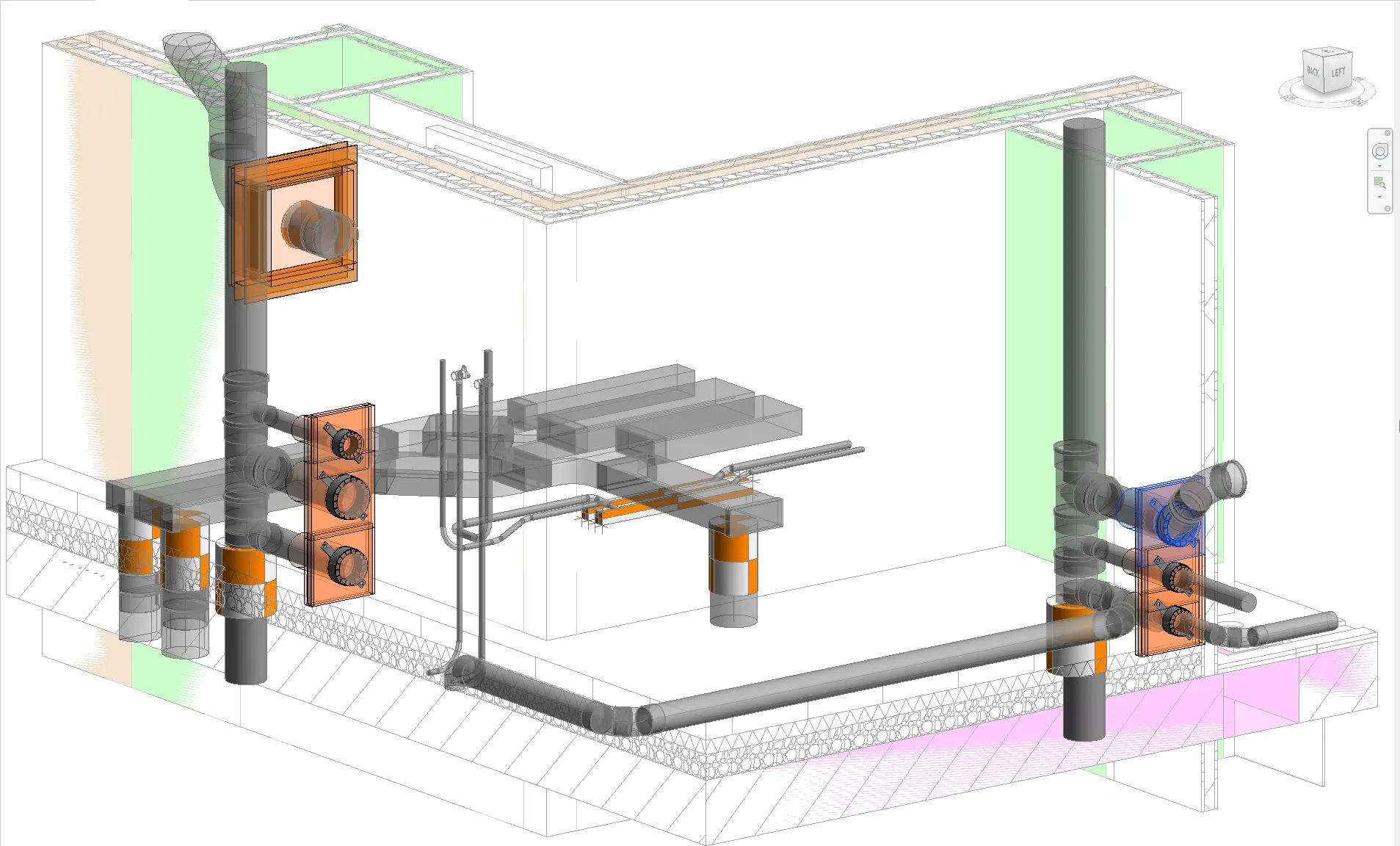
  1. Orange Button BIM showing firestop solutions placed in a 3D model

    1 · Design

    OB BIM

    1. Load the structural, architectural and MEP models (IFC).
    2. Every penetration through fire-rated walls and floors is found automatically.
    3. For each clash, the right tested system is selected and placed in the model.
    4. Quantities and costs are calculated automatically.

    For youThis is the moment your system is chosen, or your competitor's.

    More about OB BIM →
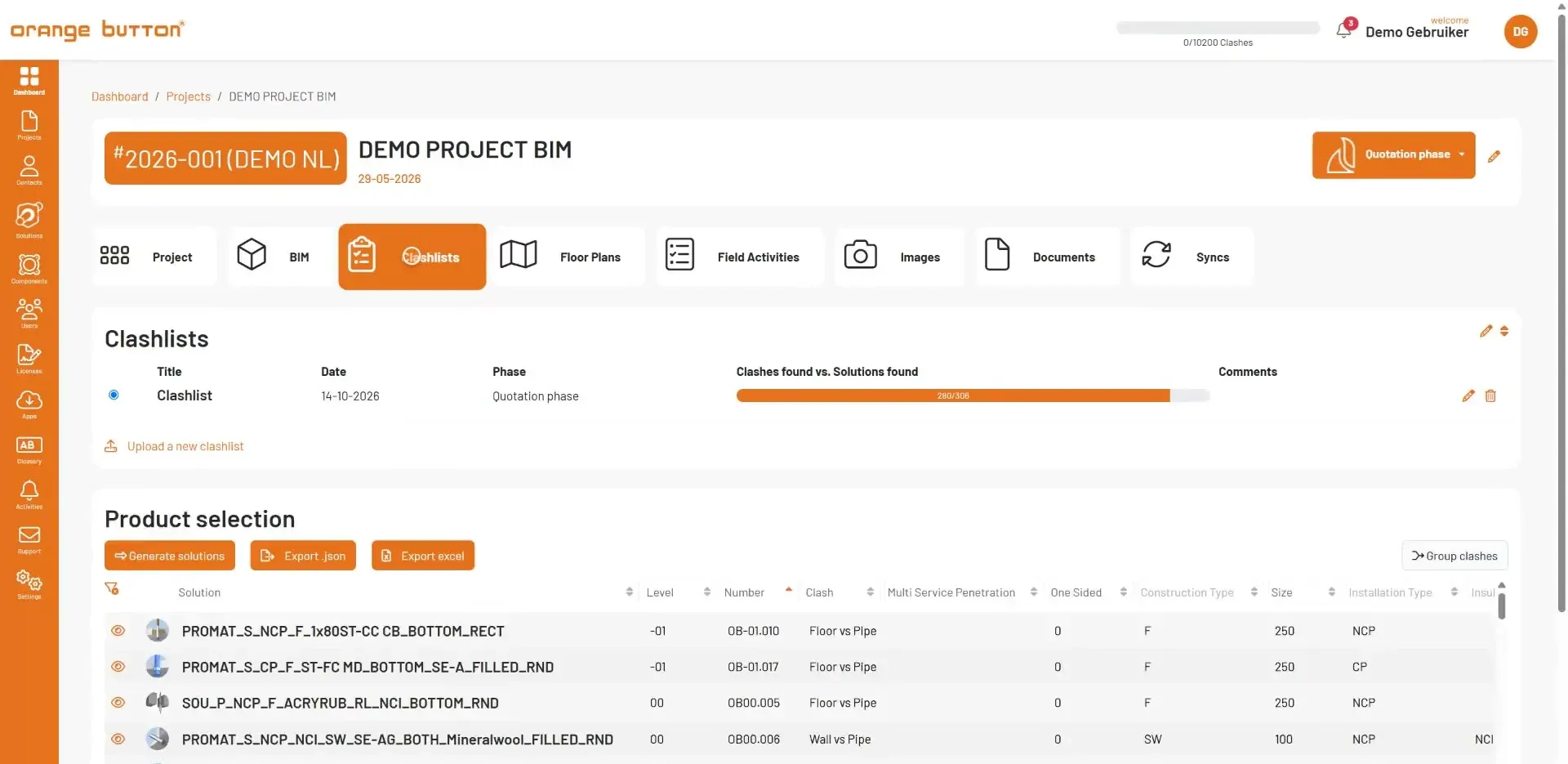
  2. The clashlist and product selection in Orange Button Office, with a certified solution per clash

    2 · Manage

    OB Office

    1. The project and all penetrations from BIM arrive in OB Office.
    2. Quantities, materials and advice per penetration, in one overview.
    3. The advice comes from your Field of Application, not from a phone call or e-mail.
    4. Projects and users are managed in one place.

    For youYour products on every material list, without your advice department.

    More about OB Office →
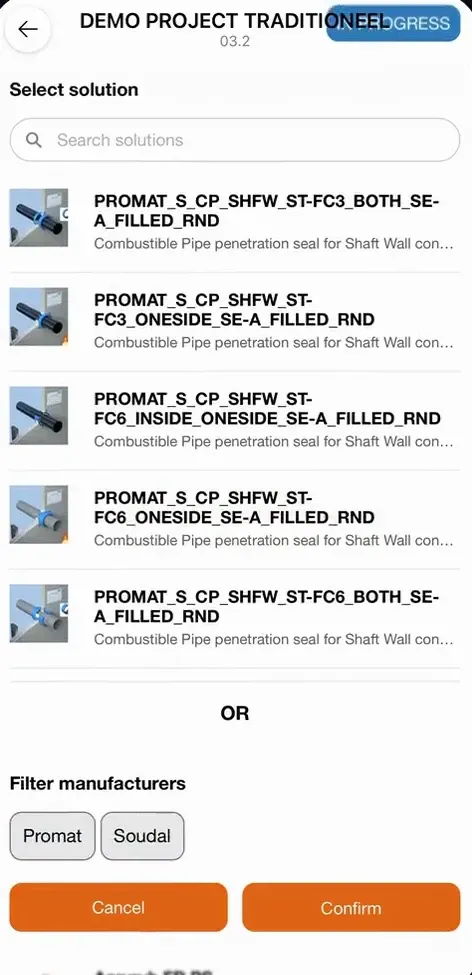
  3. The Orange Button Field app on site: the tested Promat systems that fit this penetration, with a filter per manufacturer

    3 · Install

    OB Field

    1. The installer opens the project on site in OB Field.
    2. Every penetration shows the exact tested system to install.
    3. Each seal is registered on site, as tested.
    4. Deviations get a certified alternative.

    For youYour system installed exactly as tested, and proof that it was.

    More about OB Field →

How end-users select your solution

From clash to registered seal, with your system in the middle.

  1. OB BIMA penetration is detectedService type, insulation type, dimensions, construction type and fire rating are read from the model.
  2. FrameworkMatched with your Field of ApplicationThe platform checks which of your tested solutions may be used here.
  3. OB BIM · OfficeYour complete system is placedSeal, wall build-up, supports and opening size: exactly as tested, in the model.
  4. OB FieldRegistered on siteThe installer registers every seal. Deviations get a certified alternative.
Explore the framework →

The value for you

Four ways Orange Button pays off.

  • Grow your market share

    Your systems are selected automatically in every project designed with Orange Button.

  • Automate your advice department

    Contractors get the right system with integrated advice, without waiting for your engineers.

  • No engineering judgements

    Only tested systems, installed as certified. No grey area, no untested solutions.

  • See how your products are used

    Usage data from end-users who mark you as preferred shows which solutions are chosen, for which situations.

What we often hear

“Our clients don't ask for it.” Not yet.

  • Demand from above

    General contractors, clients and insurers want certified work they can prove. That starts in the design, not on site.

  • Regulation

    The Wkb in the Netherlands, the Building Safety Act and the Golden Thread in the UK: compliance has to be demonstrable.

  • Lead by example

    You decide how your products are installed. Contractors follow the manufacturer who leads. Wait, and your competitor is designed in first.

The software

OB Manufacturer: your own environment on the platform.

OB Manufacturer is the software where you manage your tested systems. Everything you enter there is what contractors get in OB BIM, Office and Field.

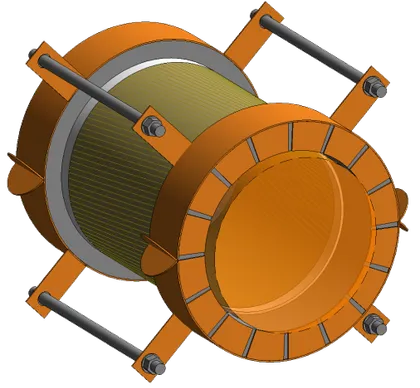
Your tested system scales with every clash. Drag to turn it.

  1. 01

    Components and BIM Solutions

    All your firestop components and systems, with 2D sections, 3D images and BIM objects.

  2. 02

    Field of Application

    Where each solution may be used. Maintained via our Excel template or an API link to your database.

  3. 03

    Automatic selection

    Engineers get your solution in OB BIM, Office and Field, for every penetration it is tested for.

  4. 04

    Usage data

    See how clients who mark you as preferred use your products: which solutions, in which situations.

OB Enterprise

Want the whole platform under your own brand? With an Enterprise licence your clients get OB BIM, Office and Field as your platform: your name, logo, colours, login page and address, with only your systems.

Discover OB Enterprise

Data insights

See how your systems are used, and where your market is.

In your OB Manufacturer portal you see what happens to your systems in the projects on the platform. Not a guess from your sales team, but data from real BIM designs.

How your systems are used

  • Chosen solutionsWhich of your BIM Solutions are chosen, and how often.
  • SituationsIn which situations: construction type, fire rating, installation type, sizes and insulation.
  • Projects and regionsIn which projects, countries and regions your systems are designed in.

Where your opportunities are

  • Configurations without a solutionFor which combinations of construction, installation and size you have no tested solution yet: direct input for testing and product development.
  • Near missesWhere your system just doesn’t fit, and which property decided it, often a single measurement.
  • Preferred manufacturerWhich end-users mark you as their preferred manufacturer, so your sales team knows who to follow up.

OB Enterprise · White label

Want the whole platform in your own brand?

With OB Enterprise the whole platform becomes yours: OB BIM, Office and Field under your name, logo and colours, on your own address and login page, with only your systems.

Promat by Etex runs on OB Enterprise · Read the Promat by Etex case →

Discover OB Enterprise →

Orange Button Manufacturer

Two ways to partner: MLA or ELA

OB Manufacturer · MLA

Your tested systems on the Orange Button platform, alongside other manufacturers.

  • Manufacturer login with your Components and BIM Solutions
  • End-users can mark you as preferred: they then only see tested solutions from their preferred manufacturers
  • Usage data from end-users who mark you as preferred

Enterprise · ELA · White label

A fully white-label platform: OB BIM, Office and Field under your own brand, with your name, logo, colours, login page and address.

  • Integrated in your website or portal
  • Only your products and systems can be selected
  • Your products stay visible on the regular platform
  • Condition: you buy OB BIM, Office and Field licences in bulk for your clients
More about OB Enterprise →

MLA = Manufacturer Licence Agreement · ELA = Enterprise Licence Agreement · Price on requestPromat by Etex has signed an Enterprise licence.

Your product data is safe: Orange Button is ISO 9001 and ISO 27001 certified.

  • ISO 9001 Quality management
  • ISO 27001 Information security

Implementation

Live in 3 months.

Typically 500 to 1,000 solutions per manufacturer. Already have a structured database? We connect it to OB Office via an API.

  1. 1Kick-off
  2. 2Solution List
  3. 3Field of Application
  4. 4Sections and 3D images
  5. 5BIM objects
  6. 6Batch upload
  7. 7Integration
You: 1–4Orange Button: 5–7

What you deliver per solution

  • ComponentsList of the materials used.
  • 2D sectionTechnical section drawing.
  • 3D imageVisual of the solution.
  • 3D object.obj file, optional. Otherwise we make it.
  • Field of ApplicationOur Excel template, or an API link to your database.
  • Solution ListAll solutions, sorted by installation type, insulation type, MSP type, construction type and aperture shape.

Existing documentation can often be reused.

After you sign

Your sales team as ambassa­dor.

The more your team promotes Orange Button, the more often your systems are designed in. We train your advisors.

  1. Introduce Orange Button at every firestop contractor you visit. With OB BIM, Office and Field licences they design automatically with your products. They can start free with 200 clashes a month.
  2. Ask your clients for the BIM model, and offer a firestop design in Orange Button instead of a manual advice.
  3. Put “Available in Orange Button” on your datasheets, website and quotes.
  4. Give Orange Button demos to your clients and prospects yourself. We train your technical and sales advisors.
  5. Use the usage data to follow up on projects and clients.
  6. Ask your clients to mark you as preferred in Orange Button.

Questions

What are BIM Solutions?

BIM Solutions are manufacturer-specific firestop solutions, available as BIM objects in Orange Button. Each BIM Solution is a certified firestop system for one specific situation: an installation type, insulation type and construction type, in a round or square opening. It includes a description, the selected firestop components, a 3D image, a section image and the countries where it may be applied. When Orange Button finds a clash, it loads the matching BIM Solution into your BIM project automatically. You choose which manufacturers and solutions you prefer.

What does a partnership cost?

Both the MLA and the ELA are priced on request, depending on the number of solutions and, for an ELA, the number of licences for your clients.

How long does it take before our systems are live?

About three months. You deliver the Solution List, Field of Application and drawings (steps 1 to 4); we build the BIM objects, upload and integrate (steps 5 to 7).

We already have a product database. Do we have to re-enter everything?

No. A structured database can be connected to OB Office via an API, and existing documentation can often be reused.

Do our clients need a licence?

Yes. To design with your systems, end-users need an OB BIM licence, together with at least one OB Office licence. They can start free with 200 clashes a month. With an Enterprise licence you buy these licences in bulk and hand them to your clients.

Is our product data safe?

Yes. Orange Button is ISO 9001 and ISO 27001 certified.

What does it cost our clients to start?

Contractors can start free with 200 clashes a month, so your sales team can introduce Orange Button at every visit.

Next step

Become part of the platform.

Sign an MLA, or an ELA for your own white label environment. Start with a kick-off, live in 3 months.

Plan a kick-off

info@orangebutton.tech+31 85 273 79 72

  • Grow your market shareYour tested systems are selected automatically in every BIM design.
  • Automate your adviceFewer manual requests and no engineering judgements.
  • Installed as testedCertified work on site, with proof. Fewer claims.
  • Insight into product useData from end-users who mark you as preferred.
  • Sales team as ambassa­dorA live demo and a clear story for every contractor.
  • Proven and secureISO 9001 and 27001. Used in 8 countries. Promat by Etex runs on OB Enterprise.