Builders work openings and firestop: find every penetration in BIM
Orange Button BIM clashes against builders work openings (BWIC) and automatically identifies and analyses every service that passes through them, against the rules of tested firestop systems.
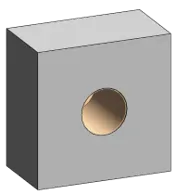
On many projects, and on almost every project in the UK, the openings for services are builders work in connection (BWIC): holes, sleeves and voids that are formed in walls and floors before the services go in. The MEP designer requests them, the structural engineer or main contractor provides them, and only later does anyone ask how each opening will be firestopped.
That is where things go wrong. An opening that is too large, too small or too crowded for any tested system cannot be sealed as certified. And once the opening is cast or built, it is expensive to change.
Clash detection against openings
Orange Button BIM treats builders work openings as a category of their own. Openings in the model, as void or opening elements, take part in clash detection next to walls, floors and fire-rated plates. The software then:
- identifies every penetration through each opening automatically: every pipe, duct and cable tray, linked to the opening it passes through;
- analyses each opening against the rules of the tested systems: the size and shape of the opening, the distance from each service to the edge of the opening, and the space between services;
- turns an opening with two or more services into one multi-service penetration (MSP), sized to the opening and numbered in the clashlist.
From BWIC drawing to tested system
Because the openings are already in the model, the firestop design can start from what will actually be built. Orange Button Office then selects a tested system for every penetration, matched on construction, fire rating, installation, insulation, opening and sizes. Where no tested system fits, you see it before the opening is formed, while it can still be changed.
It works in BIM Online with your IFC models, right in the browser, and in Autodesk Revit with the OneClick app Apertures.
Working on UK projects? See Orange Button in the UK, or book a demo and we’ll show you the workflow on your own model.