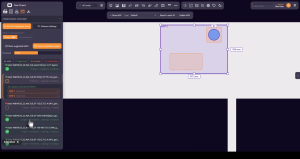
Orange Button has officially launched the Apertures OneClick app. This innovative tool is designed to optimize the planning of openings in BIM.
Manufacturer solutions in our Orange Button BIM software automatically specify the most optimized aperture or opening for any situation. In certain instances, openings may already be predetermined by a MEP or structural engineer. Our Apertures OneClick app can analyze these predefined openings and incorporate them when selecting the appropriate Firestop Solutions.
One Click Apertures
The app will identify any Orange Button components within the selected predefined openings and record the opening dimensions within each Orange Button component. In cases where multiple components are found within a single opening, a Multiservice Penetration (MSP) is generated to accommodate them, custom-fitted to the dimensions of the opening.
The Apertures OneClick app streamlines the selection of firestop products by allowing users to specify aperture dimensions, enhancing the efficiency of both installation and opening sealing.
What is a predefined opening?
MEP engineers use different methods to specify openings in BIM
No opening (best Solution)
Wall or Floor with no opening.
Fire-rating specified in Construction element or in seperate FRP element to identify clash of MEP service with fire-rated element.
Orange Button will advise the most cost efficient firestop with integrated opening advice.
Sketch opening
Wall or Floor with Sketch opening.
Fire-rating specified in separate FRP element to identify a clash of MEP service with fire-rated element.
Orange Button will advise the most cost efficient firestop with integrated opening advice.
Void opening
Wall or Floor with Void element.
Fire-rating specified in seperate FRP element to identify a clash of MEP service with fire-rated element.
Orange Button will use Void element size to determine certified firestop
Solid opening (best Practice)
Wall or Floor with Solid element.
Fire-rating specified in Construction element or in seperate FRP element to identify clash of MEP service with fire-rated element.
Orange Button will use Solid element size to determine certified firestop.
Orange Button requires the below information to determine a certified firestop
x = possible
(x) = possible, but not needed

OB Manufacturer Implementation time
OB MANUFACTURER IMPLEMENTATION TIME Orange Button is making significant progress in connecting manufacturers and end-users within the passive fire industry. Since our platform is designed to compare every firestop solution, the implementation of a specific manufacturer’s products requires a tailored approach. Let’s begin with what our platform Needs. Solution List

Golden Thread Fire Delay (UK) joins Orange Button!
Exciting news, Golden Thread Fire Delay from the UK joins Orange Button! 🔶 Welcome to the Orange Button Family, Golden Thread Fire Delay! We’re excited to welcome Golden Thread Fire Delay, a passive fire protection specialist, to the Orange Button Family. Since 1994, they have been supporting clients to implement

AF Systems (IT) joins Orange Button!
Exciting news, AF Systems from Italy joins Orange Button! 🔶 Welcome to the Orange Button Family, AF Systems! 🇮🇹 We’re excited to welcome AF Systems, a leading Italian specialist in passive fire protection, to the Orange Button Family! Renowned for their technical expertise and commitment to innovation, AF Systems has